
A homeowner arriving on a plumber’s website often needs a quick answer: do you handle this problem, do you cover this area and how can I contact you? A good website makes those answers easy to find while giving people planning a non-urgent job enough detail to request an informed quote.
Make the mobile calling journey obvious
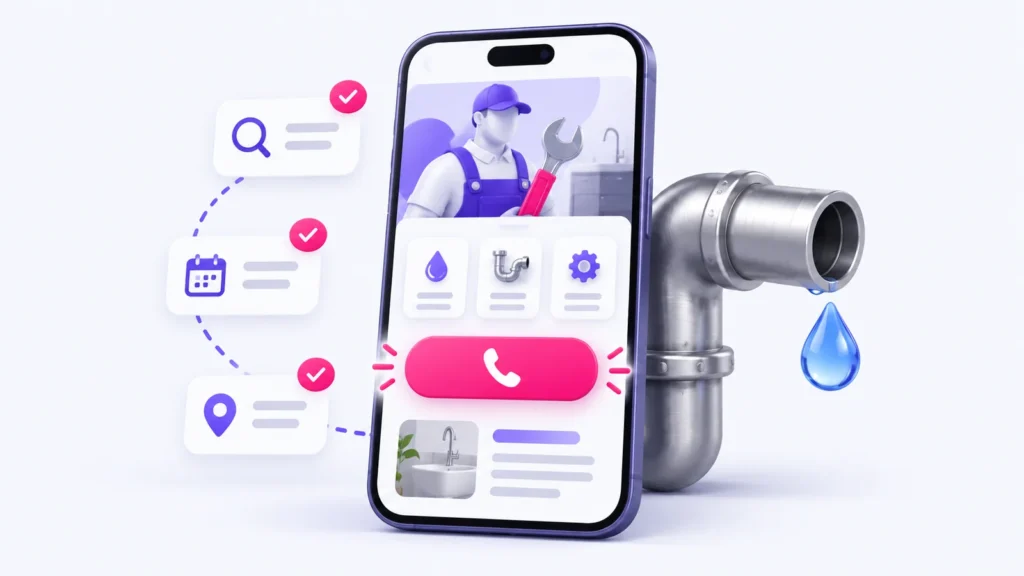
Place a clearly labelled phone action where customers can find it without searching through a menu. Test it on a phone, check the number and make sure a sticky call button does not cover forms or important text. Provide a second contact route for people who cannot call immediately.
A click-to-call event measures a tap, not a completed conversation or booked job. If you use call tracking, confirm how numbers are displayed and how enquiries are connected to records before relying on the reports.
State emergency availability accurately
Separate emergency work from scheduled appointments. Publish your actual hours and explain what happens outside those hours. Do not claim round-the-clock availability unless the business can deliver it. A short explanation of the next step is more useful than a vague “fast response” promise.
Keep urgent contact instructions simple. Website copy should not attempt to replace emergency services or provide risky repair instructions. The goal is to connect the visitor with the appropriate help.
Explain services and coverage in customer language
Describe the work you actually accept, such as leak repairs, drain problems, water-heater work or planned installations. Explain what information helps the team assess a request. Avoid listing services simply because they are popular search terms.
Show genuine service areas and any relevant limitations. If different locations have different availability, say so. Create a location page only when it provides useful, distinct information; copying the same paragraph across dozens of city names does not help a homeowner choose.
Keep quote forms short but useful
Ask for contact details, service location, the type of problem and a short description. Add photos only when they help assessment and the business has a practical way to handle them. Clearly label required fields and show understandable validation messages.
After submission, explain the next step without promising an unverified response time. Test that the record is stored and reaches the responsible person. Retain a fallback contact method if form delivery fails. Do not collect payment details or sensitive information in a general quote form.
Use trust evidence that a customer can inspect
Publish real reviews with appropriate permission or a legitimate link to the review source. Use genuine project photos and explain the work shown. Only display licences, insurance statements or memberships that are current and applicable to the business.
Keep the business name, contact details and service information consistent with the actual business and its Google Business Profile. Link to the correct profile or review destination; do not invent a location or office to fill a page. Search visibility and profile placement are not guaranteed by adding a map.
Test speed and usability on an ordinary phone
- Can the main service, coverage and contact action be understood before any animation finishes?
- Does text remain readable without zooming or horizontal scrolling?
- Are buttons spaced so they can be tapped accurately?
- Can the menu and form be used with a keyboard and assistive technology?
- Do large photos, popups or third-party widgets delay the main content?
- Does the confirmation message explain what happens next?
Use both performance testing and a real journey through the site. A strong lab score does not prove that a customer’s enquiry reached the business.
Measure and maintain the whole enquiry journey
Track form submissions and phone interactions separately, then classify genuine enquiries by service and area. Remove known test records from reporting through a documented label or filter, rather than presenting them as leads. Compare qualified enquiries with the page and channel that brought them when attribution is available.
Recheck phone numbers, forms, availability, backups and software updates regularly. Assign an owner for content changes so the site continues to reflect the business.
Explore Build Awesome’s website design for plumbers, website maintenance support and enquiry tracking options. Request a review of your plumbing website’s customer journey.
A practical mobile-page example
For an illustrative plumbing homepage, put the service and genuine coverage first: “Leak repairs and drain services in [your actual service area].” Follow with your real opening hours, a clearly labelled call button and a short quote form. Replace every placeholder before publishing. This example is a layout brief, not a claim about any client’s results.
| Page element | What the visitor needs | Check it on a phone |
|---|---|---|
| Opening section | Service, service area and actual availability | Can a visitor understand all three without opening the menu? |
| Call action | A clear route to the correct phone number | Does tapping it open the right number? |
| Quote form | Contact details, location and a short job description | Are required fields clear and errors easy to correct? |
| Trust evidence | Genuine reviews, applicable credentials and real work | Can a visitor inspect the source or context? |
| Confirmation | An honest explanation of what happens next | Does a test request reach the responsible person? |
Download the printable checklist
Download the plumber website review checklist (PDF, 1 page). Print it for a review meeting and record the issue, owner and recheck date.
Copy-and-save website review checklist
Copy the following checklist into a document or print this page. Record the date, tester, device, issue and person responsible for each fix.
- Confirm the phone number, service areas and working hours.
- Test the call button, menu and form on an ordinary phone.
- Check keyboard navigation, visible focus and field labels.
- Submit one clearly labelled test enquiry and verify delivery.
- Check that genuine reviews and credentials are current.
- Separate call clicks, submitted forms and qualified enquiries in reports.
- Assign an owner and a date to recheck each issue.
Plan the next improvement
If the site is usable but enquiries are difficult to assess, start with our guide to small-business KPIs. If staff repeatedly copy enquiry details between systems, use the first-workflow automation guide to map a manageable next step.