

Current and maintained
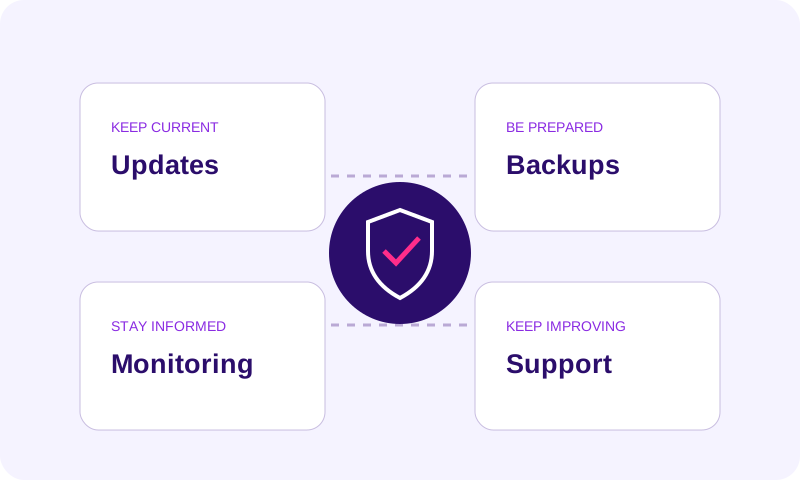
WordPress, plugins and agreed content changes follow a structured maintenance rhythm.
WordPress maintenance services for small businesses that need clear ownership after launch. Plan updates, backups, agreed monitoring and content support around the pages and enquiry paths your business depends on. We review the existing site before defining the maintenance scope, support hours and responsibilities.
For businesses that want a dependable team to look after their website instead of reacting only when something breaks.
Updates and content changes are delayed because nobody clearly owns the website.
Plugins, backups and security updates become a recurring source of worry.
Performance problems or broken features are discovered only after customers notice them.
The site was launched once but is not being improved as the business changes.
Less day-to-day technical worry through structured updates, monitoring, backups, maintenance and improvement support.
We do not use fake guarantees. These are practical signals the work is designed to improve.
WordPress, plugins and agreed content changes follow a structured maintenance rhythm.
Backups and recovery checks reduce the impact of common failures or mistakes.
Performance and technical issues are easier to identify before they become long-running problems.
The website can keep evolving instead of becoming another neglected business asset.
The exact mix depends on your starting point. We recommend only the capabilities that support the goal.
Reduce avoidable downtime
Keep software and content current
Protect the marketing asset you depend on
Have a team available when changes are needed
You should always understand what we are doing, why it matters and what needs to happen next.
Review the current WordPress, hosting, update, backup and security condition.
Stabilize the most important maintenance gaps and establish safe ownership/access.
Maintain updates, backups, monitoring and agreed content or technical changes on a clear schedule.
Use recurring issues and business priorities to guide practical improvements over time.
Start with one service when that is enough. Connect another only when it removes a real gap in the customer journey or operation.
Reduce avoidable risk across your website and digital operations.
Website design and small business website redesign built around a clearer path to enquiries. We build and improve responsive WordPress websites, helping customers understand your services, trust your business and contact you. For an existing site, we review useful content, URLs and tracking before deciding what should change.
Make better business and marketing decisions with data analytics services for small businesses. We combine GA4, website analytics and conversion tracking with practical data analysis, dashboards and reporting, so you can understand enquiry and sales performance, compare marketing channels and decide what to improve next.
Straightforward answers so you can decide whether Build Awesome is the right fit.
Usually yes. We first review WordPress and hosting access, software versions, licences, backups and the condition of the site. This identifies whether routine maintenance can begin or remedial work is needed first. Your business should retain ownership of its domain and essential accounts; access is arranged securely after the scope is agreed.
Routine care and agreed content changes can be included. Larger features are scoped separately so expectations stay clear.
The agreed plan may cover updates, backups, monitoring, routine checks and a defined allowance for content changes. Specify the platform, included tasks and frequency. Hosting, paid licenses, redesigns and emergency recovery should be identified separately rather than assumed to be included.
Support hours, escalation contacts and response targets must be agreed in the proposal. Do not assume continuous monitoring means someone is available to resolve every issue immediately. Tell us which website functions are business-critical so coverage can be scoped appropriately.
An illustrative report records the review period, updates completed, backup status, checks performed, issues found and next actions with an owner. For example: plugin update completed; contact form tested; a display issue requires review; restore testing is scheduled separately. These are sample report fields, not results from a client site. The plan confirms which checks and reporting frequency are included.
Illustrative checklist: after an agreed update, review key pages on mobile, test a contact form, check important links and confirm the backup or rollback route. For more detailed enquiry measurement, consider website analytics and tracking. The exact checks depend on the site and support plan.
Cost depends on the condition of the site, plugins and integrations, backup requirements, content-edit allowance and support coverage. Compare the same tasks and frequencies rather than the plan name alone. Hosting, paid licences, redesigns and emergency recovery may be separate. Our scope and pricing guide explains the questions to settle before approving a proposal.
Agree the backup and rollback route before updates. Depending on the site and scope, higher-risk changes may need a staging check before release. If a check reveals a problem, record the impact, use the agreed recovery route and confirm that important pages and enquiry paths work again. Recovery coverage and response targets must be specified in the support arrangement.
Tell us what you want to improve, what is getting in the way today and what a better result would look like. We will recommend the most practical next step.
Share the essentials now. We will review your goals and project context before recommending the clearest next step.
Thank you. We saved your enquiry and will review your goals and project details before responding.