
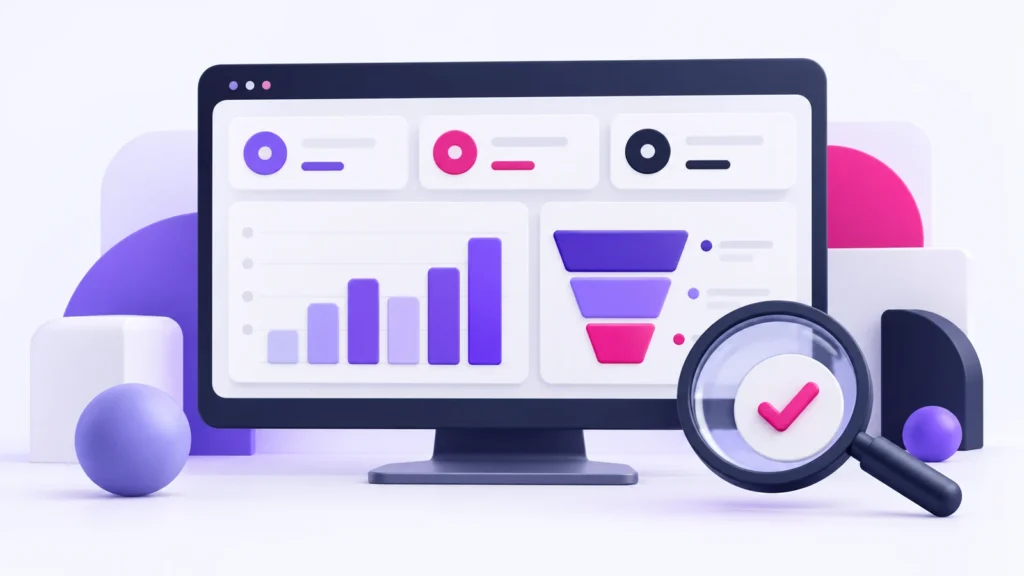
A dashboard becomes useful when it helps someone make a decision. Before selecting charts or connecting software, identify the business question, the action you could take and the data needed to choose that action. Start with a short measurement brief rather than a long list of available metrics.
1. Start with a decision you can actually make
“We need more traffic” is a broad wish. “We need to know which enquiry sources produce jobs we can profitably serve” gives the analysis a purpose. A service business might use the answer to change its advertising budget, improve a service page or adjust the information requested on a form.
For each question, name an owner and a review cadence. A weekly operations review may need different information from a monthly marketing review. If nobody can explain what they would do differently when a metric changes, leave that metric out of the first dashboard.
2. Separate activity, outcomes and quality
- Activity: visits, campaign clicks or form starts tell you what happened before an enquiry.
- Outcomes: submitted enquiries, booked consultations and completed jobs describe progress through the customer journey.
- Quality: service fit, location fit, duplicate enquiries and sales status help explain whether the outcome was valuable.
A phone-link click is an interaction, not proof of a connected call. A form submission is not automatically a qualified lead. Keep these labels separate so that a rise in activity is not mistaken for a rise in business.
3. Write a definition for every KPI
Document the numerator, denominator, source and exclusions. For example, an enquiry conversion rate can be defined as valid website enquiries divided by website sessions during the same period, multiplied by 100. If you instead divide by users, say so and use that definition consistently. Do not compare rates built with different denominators.
For qualified enquiries, agree the conditions with the person who handles them. A practical definition might require the requested service to be offered, the location to be supported and the enquiry to contain enough information for follow-up. Exclude known tests, spam and duplicates using documented rules, while retaining the original records.
4. Use a measurement brief
The following is an illustrative planning example, not a client result.
- Decision: which service landing page should receive improvement work next?
- Primary KPI: qualified enquiries associated with each landing page.
- Supporting measures: visits, valid submissions and qualification rate.
- Sources: website analytics plus the enquiry or CRM record.
- Owner: the person responsible for reviewing enquiries.
- Exclusions: labelled QA submissions, confirmed spam and duplicates.
- Action: inspect pages with relevant visits but weak enquiry quality before increasing traffic.
5. Check data quality before presenting conclusions
Test the full journey from page visit to stored enquiry. Confirm whether redirects, consent choices, cross-domain steps or blocked scripts can interrupt measurement. Compare analytics events with stored submissions; the totals may differ, so explain why rather than forcing them to match.
Keep personal contact details out of analytics event parameters. Use an appropriate internal record reference when a connection is needed, and review access and retention arrangements. A reporting dashboard rarely needs to expose raw customer messages to every viewer.
6. Interpret small samples carefully
Compare equivalent periods and note campaign changes, service availability and seasonality. One extra enquiry can produce a large percentage change when the starting count is small. Show the counts beside rates and record data gaps. Avoid declaring a winning channel from a handful of interactions.
Begin with a dashboard that answers two or three decisions well. Add detail only when it changes an action. Revisit definitions when the sales process changes, and keep a record of those changes so later comparisons remain understandable.
What should you prepare for an analytics project?
Bring your main reporting questions, a list of systems, existing reports, conversion definitions and the person who can confirm enquiry quality. You do not need to send passwords in an enquiry form.
Build Awesome’s small-business analytics and tracking service can help scope the measurement and reporting work. Review project scope and cost factors or discuss the decisions your dashboard should support.
A sample small-business dashboard
The following one-month dashboard is an illustrative example using invented numbers. It shows how activity becomes an outcome and how the business checks quality. It is not a Build Awesome client report or a performance benchmark.
| Measure | Example count | Definition |
|---|---|---|
| Website sessions | 1,000 | Sessions recorded for the same reporting month |
| Form submissions stored | 40 | Records received before exclusions |
| Valid enquiries | 30 | Submissions after removing 6 spam, 2 tests and 2 duplicates |
| Qualified enquiries | 18 | Valid enquiries that meet the agreed service and location criteria |
| Booked consultations | 9 | Qualified enquiries confirmed as booked in the CRM |
Work through the conversion rates
Valid enquiry conversion rate: 30 valid enquiries ÷ 1,000 sessions × 100 = 3%. Qualification rate: 18 qualified enquiries ÷ 30 valid enquiries × 100 = 60%. Booking rate: 9 bookings ÷ 18 qualified enquiries × 100 = 50%. Each percentage answers a different question. Label the denominator beside the rate.
If the session count and stored submissions cannot be matched to the same period and scope, show them separately and explain the limitation. These figures do not establish attribution or prove that a marketing channel caused the bookings.
Turn a dashboard observation into an action
| Observation | Check before deciding | Possible next action |
|---|---|---|
| More visits but fewer valid enquiries | Traffic relevance, form errors and tracking changes | Test the enquiry journey and inspect the pages bringing visitors |
| More valid enquiries but lower qualification | Service fit, location fit and duplicate rules | Clarify coverage and the information requested on the form |
| Qualified enquiries but fewer bookings | Availability, follow-up records and booking definitions | Review the handover with the person who handles enquiries |
Build a useful measurement brief
Copy these fields into a shared document: business decision; metric name; numerator; denominator; source; exclusions; owner; review date; and action if the number changes. Start with two or three decisions. Our plumber website checklist gives a concrete enquiry-journey example, and our workflow automation guide explains how to move records into a reviewable process.